
Siemens WM14Y890GB/14 Washing Machine Shows Please Clean Pump Error
Had this Siemens WM14Y890GB/14 washing machine for some time (2014), and often it starts to beep at us with 'Please Clean Pump' so I put it on a drain cycle hoping that it will run, then drain all the water with the little pipe and then finally open up the pump to find things like hair bobbles, coins etc in front of the propeller. But at the moment that is all clear and sometimes the wash is a success and other times the dreaded beeping starts, we do not get any error codes displayed, just the 'Please Clean Pump' is it worth stripping the pump out and giving it a good check over, do I need to remove the front panel for this on this model? As this wasn't a cheap unit to buy I would hate for it to go to a landfill and buy something of lesser quality. Love to buy you and the team a beer!!!!! You guys do a great job and help a lot of people out.
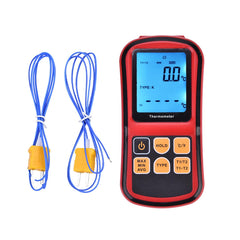
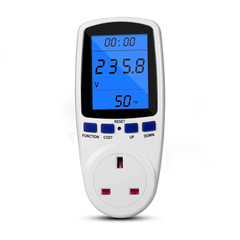
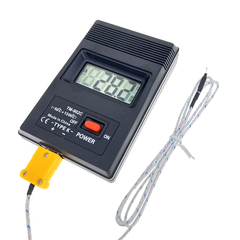
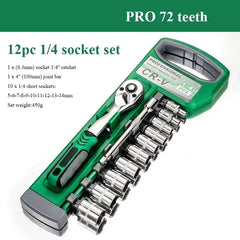
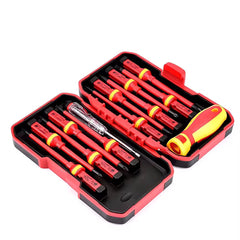
Tools Required


Hi Ian,
First off, thank you so much for the offer of a beer! The team and I really appreciate the support—it's exactly this kind of community spirit that keeps us going.
I also completely agree with your mindset. A 2014 Siemens WM14Y890GB/14 Washing Machine is a high-quality, well-built machine, far superior to a lot of the throwaway appliances on the market today. It is absolutely worth saving from the landfill, so let's get this sorted.
Since you've already checked the pump filter and the propeller is clear, the intermittent nature of the "Please Clean Pump" message tells us the machine is struggling to empty the water within its programmed time limit. This usually points to a partial or shifting blockage elsewhere in the drainage circuit. Here is exactly what you need to check:
1. The Waste Hose (The 5-Pence Problem) On Bosch and Siemens machines, it is incredibly common for a small coin, like a 5-pence piece, to slip past the pump filter and into the corrugated grey waste hose at the back. Because of the hose's internal ridges, the coin can act exactly like a butterfly valve. On some washes, it lays flat and lets the water out perfectly. On others, the water pressure flips it upright, suddenly blocking the flow and triggering your alarm. You will need to check the full length of this hose.
2. The Sump Hose This is the thick black rubber hose that connects the bottom of the drum to the pump. You need to squeeze and check the inside of this hose. Items like color-catcher sheets, baby socks, small items of clothing, bra wires, or larger coins often get lodged in here, restricting the flow of water before it even reaches the pump chamber.
3. The Sink Plumbing Connection If your machine's waste hose is connected to the plumbing under your sink (via a spigot), you need to make sure the sink unit is draining perfectly. Grunge, fat, and debris frequently build up right at the junction where the washing machine connects, causing the machine's pump to struggle against a bottleneck.
To answer your specific question about stripping the pump out: yes, to do a thorough job of checking the sump hose and the pump chamber, you do need to remove the front panel on this model. This will give you full, easy access to the entire pump assembly and all attached hoses. Also, if you check all these hoses and find they are completely clear, it's highly likely the magnetic pump motor itself is worn out and failing intermittently as it gets warm. If that's the case, a replacement pump is a very straightforward and worthwhile fix.
To assist you with this, I've included a video below that will walk you through exactly how to safely remove the front panel, check these hoses, and access the pump.
Work your way through those checks, take your time with the video, and let us know how you get on. We'll get this machine running for years to come!
Cheers, Paul
Service Documents
Parts for This Model
Showing compatible parts for model WM14Y890GB/14