
Beko DTGC7000W Tumble dryer fails to come on Front panel, all leds flashing like Blackpool illuminations.
The front panel, all LEDS flash Cleaned all pipes as per your youtube vid on Beko drier maintenance Clean NTC of all debris Checked fans, all clean Resistance across pump approx 700 Ohms Microswitch operates correctly, when tested with ohm meter Cleaned out all debris out of the pump area,There was so much that the float was jammed! Thanks Paul, any help much appreciated. Garry
Tools Required

Hi Gary,
Sorry for the late response.
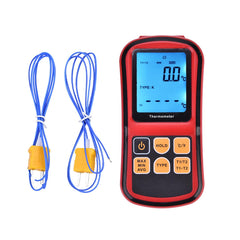
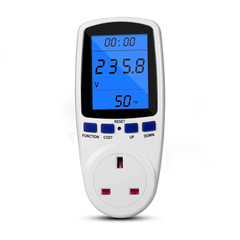
I'll send you some documents to help. I've added a useful test meter for diagnosing faults with tumble dryers. There's a video that might help with other faults, but I haven't made one on the diagnostic procedure yet.
Please read this and look at the workshop manual too. I tried calling you, but it kept ringing and didn't go to voicemail.
thanks for reaching out. Looking at the exact symptoms you described with your Beko DTGC7000W tumble dryer, where every single light is flashing at once, I can tell you exactly what is going on behind the fascia.
When all the indicator lights (LEDs) are blinking simultaneously, it means the machine has entered its internal Service Test Program.
How This Happens
This isn't necessarily a hard fault; it's a diagnostic mode triggered by a specific button combination.
Here is how the machine reads those inputs:
-
For BLED models: Pressing the "Ending In" and "Start/Pause" buttons simultaneously, then turning the "On/Off Program Selection Knob" 90 degrees clockwise within 2 seconds will start the service test program and cause all LEDs to blink.
-
For B7S models: Pressing "Dryness Level" and "Start/Pause" while turning the knob 90 degrees causes all LEDs to blink in Step 2 of the test program.
It is highly likely you accidentally held down a combination of buttons when trying to start or pause a cycle, inadvertently putting the machine into this diagnostic mode.
The Fix
To get your tumble dryer out of the test sequence and back to normal operation, try this reset procedure:
-
Turn the machine completely off using the main selection knob.
-
Unplug the machine from the wall for a few minutes. This cuts the power completely and lets the electronic card fully reset.
-
Plug it back in and try to select a standard cycle, making sure not to hold any secondary buttons.
What if it doesn't work?
If the tumble dryer powers back on and immediately flashes all lights without any buttons being touched, it points to one of two things: a mechanically stuck button on the fascia holding the connection down, or a software crash on the main control board.
If the board has failed, don't write the machine off just yet. Harvesting a functional, second-hand electronic card from a terminal machine is a brilliant, affordable way to fix the problem, save yourself some money, and keep another appliance out of the scrap heap.
Parts for This Model
Showing compatible parts for model DTGC7000W